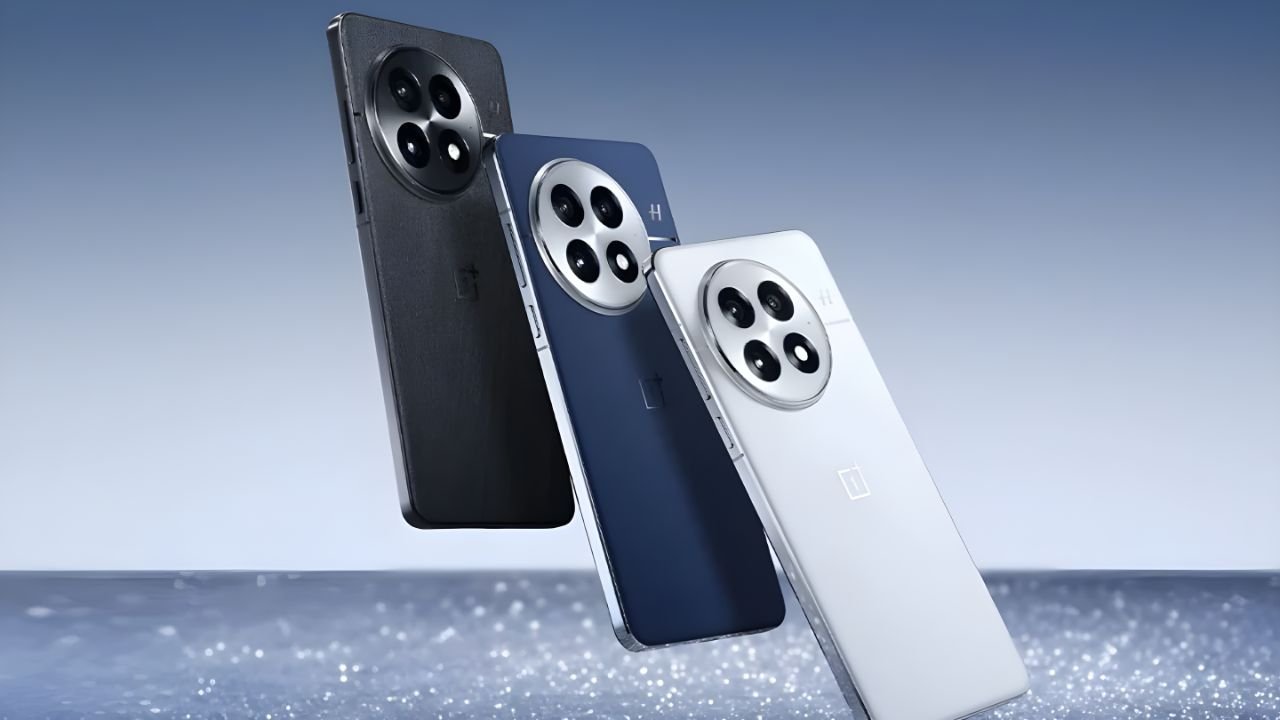
ColorOS 16 and OxygenOS 16 are making headlines this month as Oppo and OnePlus begin rolling out their highly anticipated open beta versions. The announcement has stirred excitement among smartphone enthusiasts, especially those eager to explore the next-generation features, refined interface, and AI-powered tools both software updates promise. The open beta programs for ColorOS 16 and OxygenOS 16 are now available for eligible users, allowing them to experience the future of Android customization before the official stable release.
Introduction to ColorOS 16 and OxygenOS 16
ColorOS 16 and OxygenOS 16 are built on the latest version of Android and bring a fresh visual experience along with advanced performance optimizations. Both software versions have been in development for months, with Oppo and OnePlus testing internal builds before finally opening beta access to users worldwide. These updates are not just about visual appeal but also about efficiency, personalization, and seamless device performance. With smoother animations, refined icons, and adaptive AI systems, the goal is to offer users a balance between power and elegance.
Design and Interface Enhancements
The first thing users will notice after installing ColorOS 16 or OxygenOS 16 is the redesigned interface. The layout feels more intuitive, with improved iconography and minimal clutter. Oppo’s ColorOS 16 emphasizes rounded elements and soft color tones for a calm visual aesthetic, while OxygenOS 16 maintains its signature clean and lightweight design inspired by stock Android. Dynamic themes that adapt to wallpapers, enhanced dark modes, and new always-on display styles make the interface feel alive and personal. Users will also appreciate the new widget system that brings functionality directly to the home screen.
Performance Upgrades and Battery Optimization
Performance is one of the major areas where both systems have seen significant improvements. ColorOS 16 introduces its new Trinity Engine, which optimizes CPU scheduling and memory management to maintain high performance while reducing battery consumption. Similarly, OxygenOS 16 incorporates advanced AI-based resource allocation to ensure apps open faster and multitasking feels seamless. Users have reported reduced app load times and smoother transitions compared to the previous versions. Battery efficiency has also been improved with adaptive background control, which limits unnecessary processes and enhances standby time.

AI-Powered Features and Smart Tools
Artificial Intelligence continues to play a vital role in modern Android systems, and ColorOS 16 and OxygenOS 16 are no exception. Oppo has integrated several AI-driven capabilities, including Smart Touch, which allows users to select text or images directly from videos and screenshots. Another highlight is AI Eraser 2.0, an improved photo editing tool that intelligently removes unwanted objects from pictures. OnePlus users with OxygenOS 16 will enjoy new AI Note Summarization and AI Wallpaper features that generate unique artistic designs based on user preferences. Both platforms also focus on improving voice assistance and on-device language processing.
Customization and Personalization Options
Personalization remains at the heart of both operating systems. ColorOS 16 offers advanced customization with options to modify system icons, fonts, colors, and notification panel layouts. OxygenOS 16 retains its minimalistic approach but introduces new theme packs and system color accents. Users can now create custom AOD (Always-On Display) screens that display time, notifications, or even animated characters. These small yet impactful touches make every device feel truly unique to its owner. Both systems also support enhanced gesture controls and multi-window capabilities for productivity.
Camera and Multimedia Improvements
The camera app in both ColorOS 16 and OxygenOS 16 has received notable upgrades, leveraging AI to improve photo and video quality. Oppo users will find better HDR processing, low-light enhancement, and faster shutter response. The new Pro Mode provides more granular control for enthusiasts who like manual photography. OxygenOS 16’s camera system focuses on color accuracy and real-time processing, ensuring images remain true to life. Multimedia playback has also been enhanced, with support for higher bitrate audio and improved visual rendering that benefits from the new display calibration system.
Privacy and Security Enhancements
User privacy has become a core focus of modern operating systems, and both Oppo and OnePlus have made considerable strides in this area. ColorOS 16 introduces a new Private Safe 3.0 feature, which securely stores sensitive files, photos, and documents with biometric encryption. It also includes a permission monitoring system that alerts users if an app accesses the camera, microphone, or location in the background. OxygenOS 16 offers a similar App Locker and improved privacy dashboard that shows detailed data access information. Both systems are certified for the latest Android security patches and provide enhanced protection against malware.

Eligible Devices for Open Beta Access
The open beta for ColorOS 16 and OxygenOS 16 is not available for all devices yet. Oppo’s rollout includes popular models such as the Find X6 series, Reno 11 series, and F25 Pro, with more devices expected to join in the coming months. OnePlus has made the beta available initially for flagship phones like the OnePlus 11, OnePlus 12, and Nord 3, before expanding to other models. Users can check eligibility through the system update settings or via the official Oppo and OnePlus community forums. Once eligibility is confirmed, the beta can be downloaded and installed directly over the air.
Installation Process and Important Precautions
Before installing the beta version, it’s crucial to back up all important data as early beta builds may contain bugs or compatibility issues. Users should ensure their phone has sufficient battery (at least 60%) and stable Wi-Fi connectivity. After joining the beta program, the device will automatically receive updates through the software updater. In case of any issues, users can revert to the stable version using official rollback packages provided by the companies. Feedback channels are also open for beta users to report bugs and share suggestions, helping developers improve the final release.
User Experience and Community Feedback
Early adopters of both ColorOS 16 and OxygenOS 16 have shared positive feedback regarding stability and performance improvements. Many users highlight smoother multitasking, cleaner animations, and enhanced camera capabilities. While a few minor bugs remain, overall usability has improved significantly. The beta community forums have become active spaces where users exchange feedback, share screenshots, and discover hidden features. Oppo and OnePlus engineers have also been responsive in addressing reported issues through quick patch updates, showing their commitment to delivering a polished experience.
Future Roadmap and Expected Stable Release
Both Oppo and OnePlus are expected to roll out the stable versions of their respective software by the end of this year. The open beta phase will continue for a few months to ensure all critical bugs are resolved. Oppo is also working on optimizing ColorOS 16 for foldable devices, while OnePlus is testing OxygenOS 16 features for upcoming smartphones expected to launch later this year. The focus remains on refining stability, optimizing performance for older devices, and integrating AI innovations that make everyday smartphone use more efficient.

Final Verdict
ColorOS 16 and OxygenOS 16 mark an important milestone in smartphone software evolution. They are not just upgrades but a clear reflection of how Android-based ecosystems are evolving toward personalization, intelligence, and security. Users who join the open beta programs get an exclusive opportunity to experience these advancements firsthand. While both systems share similar cores, Oppo focuses more on visual richness and creativity, whereas OnePlus emphasizes speed, fluidity, and minimalism. Regardless of which device you own, both updates deliver a refreshing and premium experience that enhances productivity and enjoyment.
Disclaimer
This article is based on currently available information and early beta releases of ColorOS 16 and OxygenOS 16. Features, performance, and availability may vary depending on device model, region, and software version. Users are advised to install beta versions only if they are comfortable with potential bugs or temporary instability. For the latest and most accurate information, always refer to official Oppo and OnePlus announcements or community forums.
